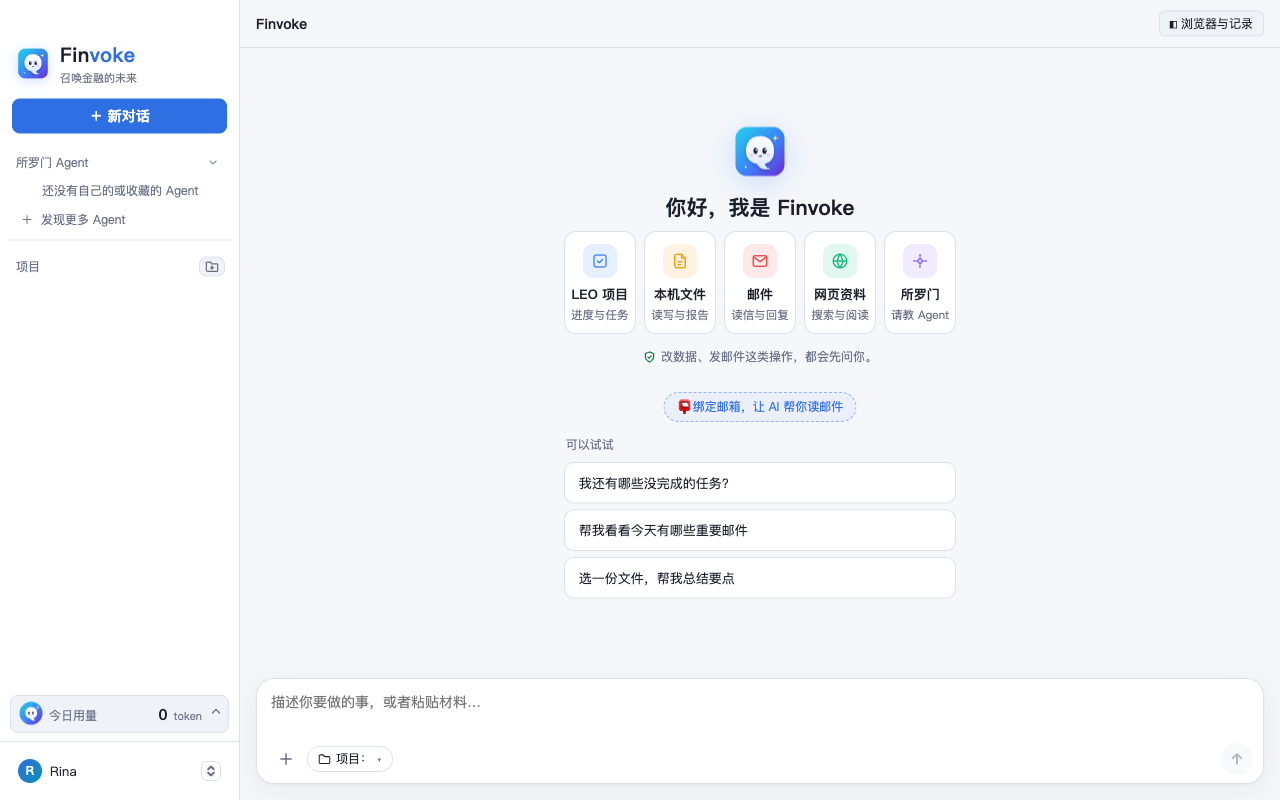
银行团队的 AI 工作助手。说一句话,它帮你查 LEO 里的项目和任务、读写电脑上的文件、处理邮件、上网查资料,还能请教所罗门里的专业 Agent、把材料转给同事。The AI work assistant for banking teams. Just say what you need: it checks your LEO projects and tasks, reads and writes files on your computer, handles email, researches the web asks expert agents in Solomon and hands work to colleagues.
用平常说话的方式告诉它要做什么,它会自己选工具、一步步完成;遇到分析、对比这类问题会自动深度思考。Tell it what you need in plain words — it picks the right tools and works through the steps, and thinks harder on its own for analysis and comparisons.
LEO 项目LEO projects
查进度、建任务、催延期Track progress, create tasks
本机文件Local files
读电脑上的文件,出 Word、Excel、PDF、PPTRead your files; make Word, Excel, PDF, slides
邮件Email
读重要邮件、拟回复Read what matters, draft replies
网页资料Web
搜索、读网页,给出处Search and read, with sources
所罗门Solomon
请教公司做好的 AgentAsk your company's agents
事项信箱Shared inbox
把材料转给同事、派事项、收回执Forward work to colleagues, get it back done
改数据、发邮件这类操作,都会先问你;文件和登录信息都留在你自己的电脑上。Anything that changes data or sends email asks you first; files and sign-ins stay on your own computer.
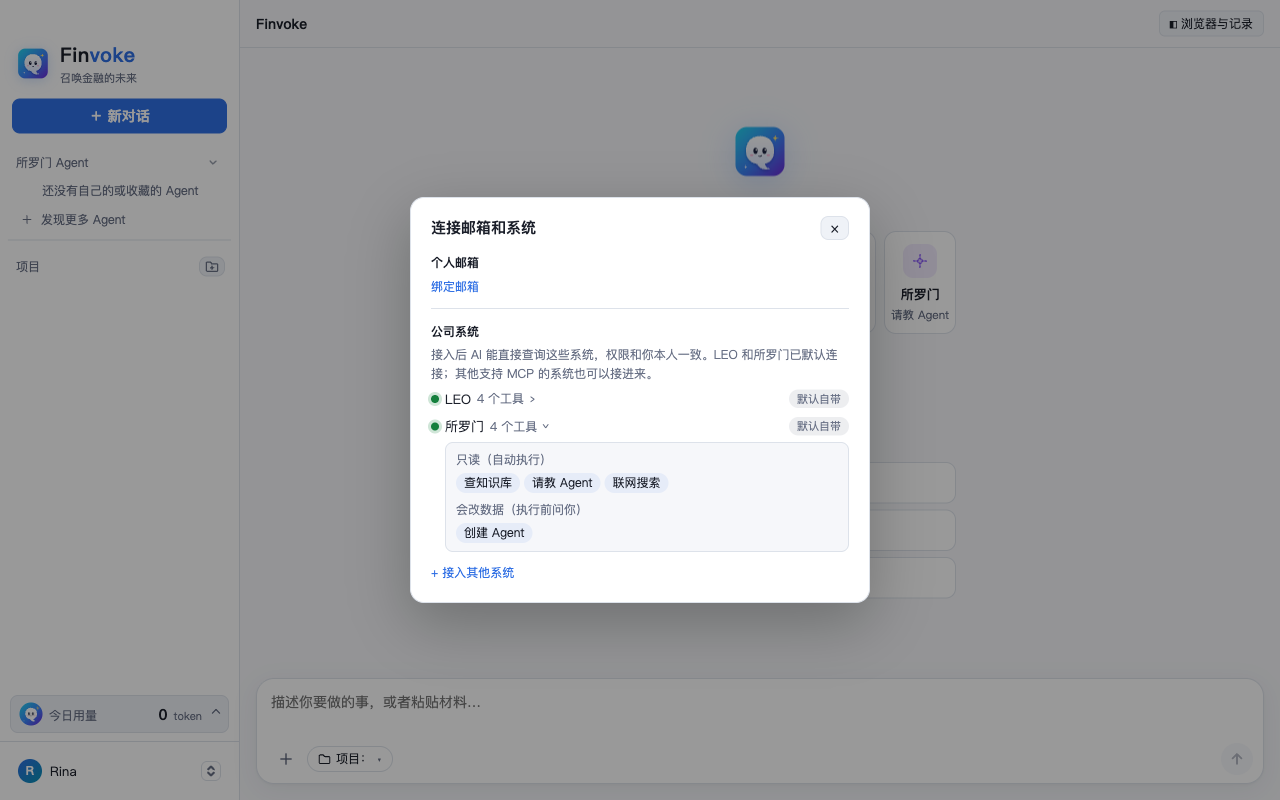
连接你的邮箱和公司系统Connect your mail and company systems
LEO、所罗门和本体论工作间默认连好。其他系统接进来,AI 就能直接查。LEO, Solomon and the Ontology Workbench are connected by default. Connect more, and the AI can look things up there directly.
个人邮箱:Gmail、Yahoo、QQ,可绑多个,AI 一步步带你开通Personal mail: Gmail, Yahoo, QQ — several at once, with step-by-step help
公司系统:支持 MCP 的系统,贴地址就能接入,权限和你本人一致Company systems: any MCP-enabled system — paste its address; your own permissions apply
看得见:每个系统有哪些工具、哪些会改数据,点开就能看Transparent: see each system's tools and which ones change data
安装Install
装好后用 LEO 账号登录即可使用;之后有新版本会自动提示更新。Sign in with your LEO account after installing. New versions are offered automatically.
如果提示「Windows 已保护你的电脑」,点 更多信息 → 仍要运行If you see "Windows protected your PC", click More info → Run anyway
安装完成后打开,用 LEO 账号登录Open it and sign in with LEO
适用于 64 位 Windows 10 / 11。安装包暂未签名,所以会出现上面的提示,放心运行即可。For 64-bit Windows 10 / 11. The installer is not code-signed yet, which is why that warning appears.